Step 1: Choose a Tool

Select the tool that matches your task, such as AI Photo Editor, Face Swap, Image to Video, Talking Photo, Video Upscaler, or Unblur Image.
Magic Hour combines video, image, and audio creation. BeArt offers a focused alternative for face swaps, photo editing, and image to video creation.
BeArt 1.0
The most accurate model
BeArt 2.0
The most faster model
Refreshes every Monday · 480p · Free times remaining: 0
No Data
Magic Hour is an online platform for creating and editing videos, images, and audio. It suits projects that begin with an idea and develop through several stages, from generating visuals to adding motion and sound. BeArt starts from a more focused need: improving media you already have. Its dedicated tools support precise photo edits, complex face replacements, image animation, and video enhancement without the setup of a full production suite. This creates a faster path from source material to content ready for social media, marketing, or personal projects.
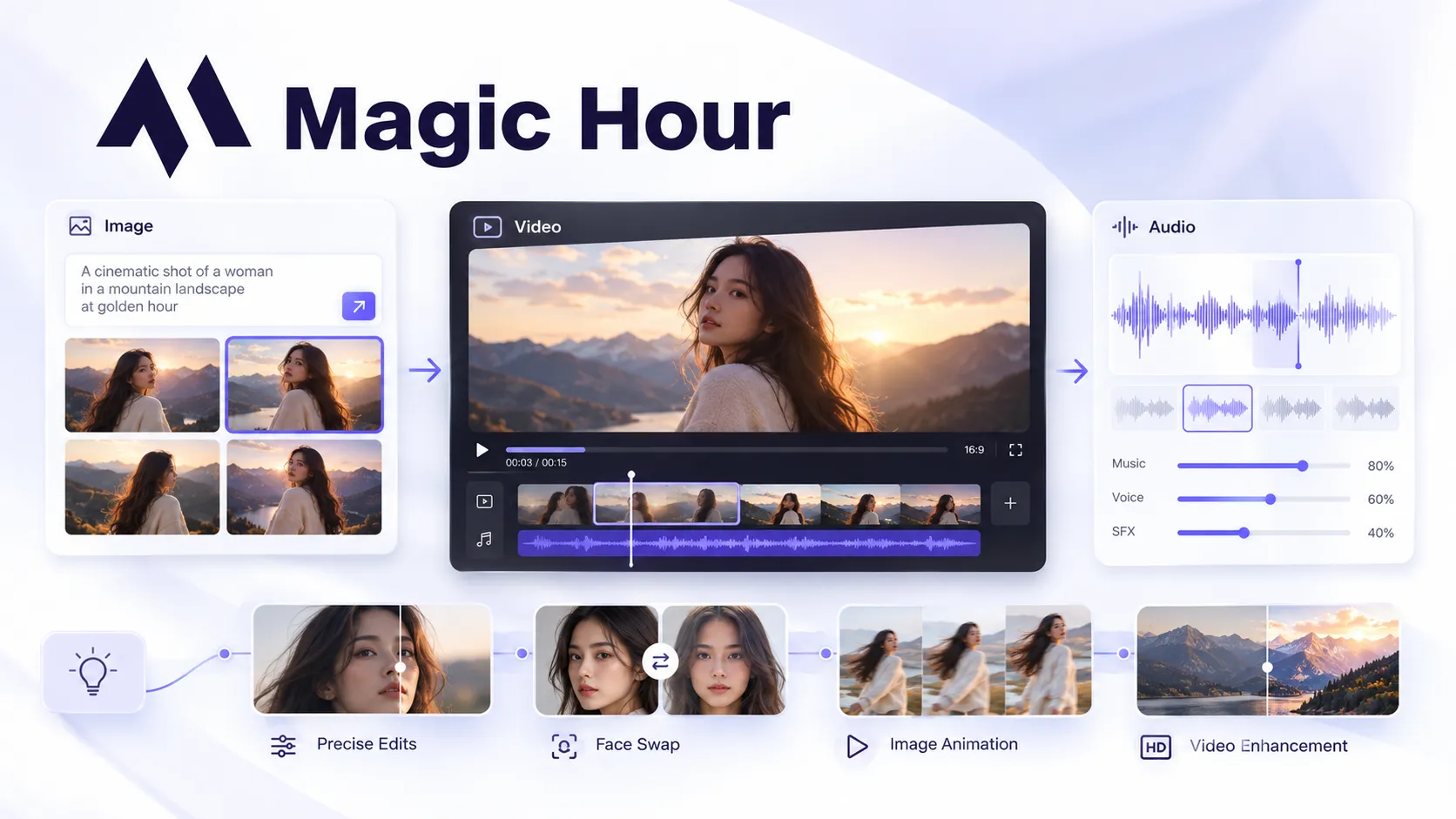
A closer look at three widely used Magic Hour workflows, how they work, and the practical limits to consider before creating.
Magic Hour provides separate face swap tools for photos and videos. You upload the original media, add a source face, and generate a replacement — no need to mask each frame by hand. That keeps a video face swap about as simple as the photo version, which suits portraits, social content, and short clips. Consistency is where it slips: results get less reliable when faces turn away from the camera, move quickly, or are partly covered. It works best with clear source images, stable footage, and similar facial angles.
Magic Hour AI image editor uses written instructions to modify an uploaded photo. It can make broad visual changes, repair parts of an image, or create a new treatment while retaining the original composition. This is useful when the source image is already close to the desired result and only needs a targeted adjustment. Precise local edits and small visual details may still vary between generations, so important elements should be checked before publishing.
Magic Hour can animate a still image or turn a photo into a speaking clip with motion and synchronized audio. Users can choose the appropriate workflow based on whether they want general movement or a face driven performance. It provides a quick way to develop portraits, product visuals, and character artwork into short video content. Fine details, text, and facial identity may shift during motion, making the output better suited to short creative clips than projects requiring exact frame by frame control.
Magic Hour supports broader projects across video, image, and audio, while BeArt provides a faster, more focused way to transform and improve existing visual content.
| Decision Point | Magic Hour | BeArt |
|---|---|---|
| Working model | A broad studio for developing media across multiple formats and stages. | A task led workspace for making a defined change to existing visual material. |
| Best starting point | An idea, prompt, creative brief, template, or source asset that may develop into a larger project. | A photo or video that already contains the subject, scene, or identity you want to keep. |
| Identity sensitive work | Includes face and character tools within a wider production environment. | Gives face replacement its own single person, group, batch, photo, video, and head based workflows. |
| Choice and control | Offers a large model catalog and many possible production routes. | Reduces the initial decision load by organizing tools around recognizable outcomes. |
| Free access | Supported tools can be tested free; limits and available modes vary by workflow. | Signed in users receive 30 free credits each week, with the current cost shown by the selected tool. |
| Paid access | Offers subscriptions and non expiring credit packs, with paid access adding production benefits and commercial rights. | Sells non expiring credits as one time purchases, used after the weekly free allowance. |
| Best fit | Creators, teams, and developers building multi stage or higher volume media workflows. | Creators, marketers, and small teams that need a straightforward way to edit, repurpose, and improve existing photos and videos. |

Large creative platforms are useful when exploration is part of the job. They can also present more models and production paths than a straightforward edit requires. BeArt starts with the desired outcome, which lowers the setup cost for a user who wants to complete a specific change and move on.

Not every creator produces the same volume every month. BeArt's one time credit packs suit project based work, seasonal campaigns, and occasional client requests because purchased credits do not expire. This makes costs easier to match to actual use without making subscription avoidance the product's main value.

BeArt automatically removes generated images from its servers after one day, so personal photos are not stored in the workspace indefinitely. This short retention period reduces long term exposure while giving users greater control over their content. Download any results you want to keep before they are deleted.
Select the tool that matches your task, such as AI Photo Editor, Face Swap, Image to Video, Talking Photo, Video Upscaler, or Unblur Image.

Add the required photo, video, face image, or audio file. Enter editing instructions where needed, then choose the available model, quality level, or aspect ratio.

Start the generation and review the finished image or video. Adjust the inputs if another version is needed, then download the final file before it is automatically removed from the workspace.
Transform the photos and videos you already have into polished content for social media, marketing, or personal projects.
Start Creating with BeArt